

B2主题404美化52pojie吾爱破解404错误页面圈小猫咪小游戏,附源文件
B2主题404美化52pojie吾爱破解404错误页面圈小猫咪小游戏,附源文件[wordpress404美化]
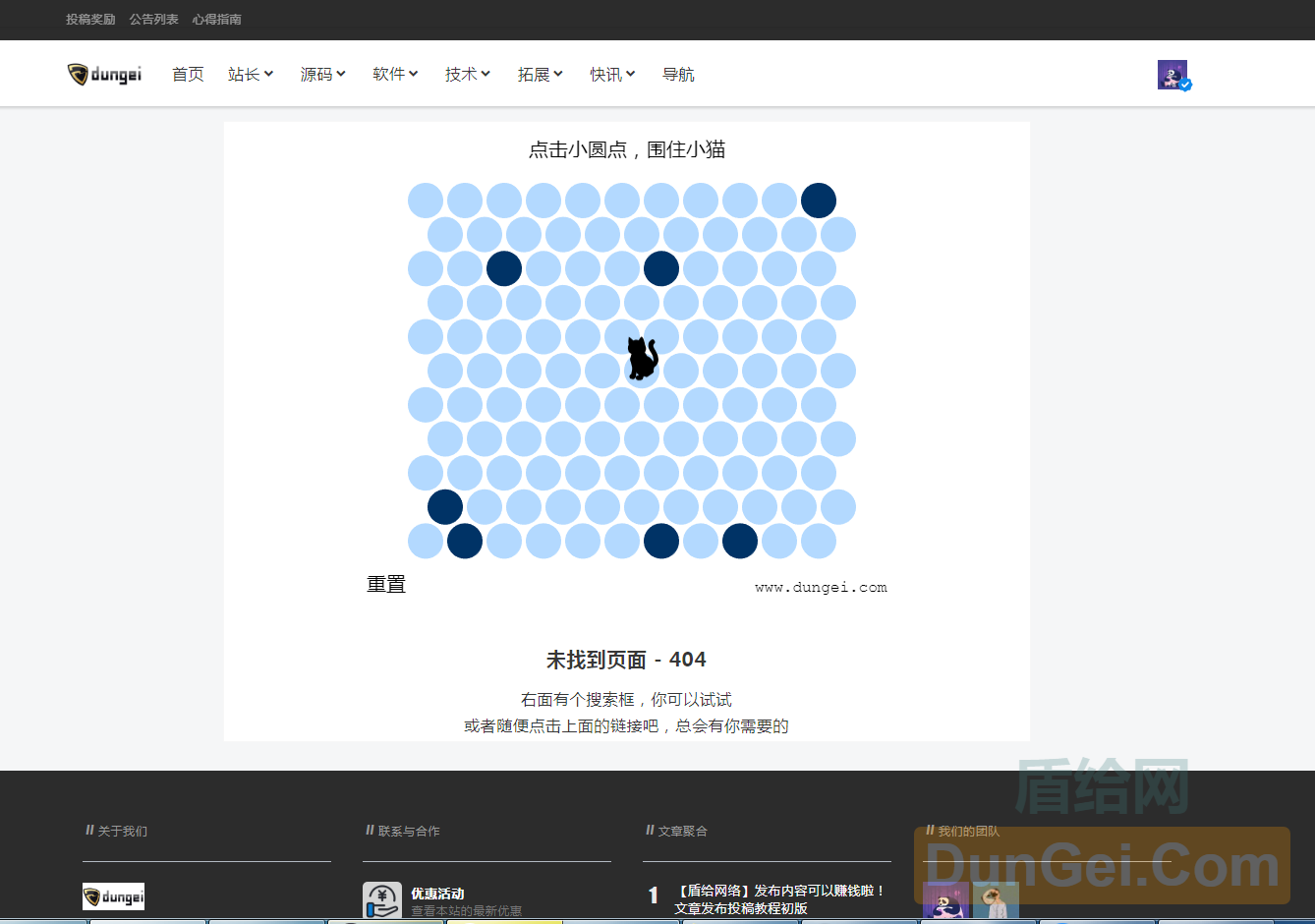
效果图如上。仅PC等大屏显示圈小猫游戏。小屏幕仍是原404提示图片。
本教程基于柒比贰主题美化。操作如下
1.上传js到柒比贰主题目录下的js文件夹
2.上传404.php文件到主题根目录,覆盖原404文件,可备份原404文件。不满意随时替换回去。
演示地址:https://www.dungei.net/999999999.html
效果图如上。仅PC等大屏显示圈小猫游戏。小屏幕仍是原404提示图片。
本教程基于柒比贰主题美化。操作如下
1.上传js到柒比贰主题目录下的js文件夹
2.上传404.php文件到主题根目录,覆盖原404文件,可备份原404文件。不满意随时替换回去。
演示地址:https://www.dungei.net/999999999.html
以下代码,替换B2主题404文件。其他主题可根据实际情况修改
<?php
/**
 * The template for displaying 404 pages (not found)
 *
 * @link https://codex.wordpress.org/Creating_an_Error_404_Page
 *
 * @package ziranzhi2
 */

get_header(); ?>

	<div id="primary" class="content-area w100">
		<main id="main" class="site-main">

			<section class="error-404 not-found box pos-r" style="">
				<div class="page-content">
					<div class="lm t-c">
						<img class="mar10-b mar10-b-img" src="<?php echo B2_THEME_URI.'/Assets/fontend/images/404.png'; ?>">
                      	<!-- 圈小猫开始 -->
                      <script src="<?php echo B2_THEME_URI.'/js/phaser.min.js'; ?>"></script>
                      <script src="<?php echo B2_THEME_URI.'/js/catch-the-cat.js'; ?>"></script>
                      <div id="catch-the-cat" class="catch-the-cat"></div>
                      <script>
                        /*追加样式,不改变原代码 START*/
                        var css =''+
                          '#catch-the-cat { width: 100%; margin-top: 32px; text-align: center; }'+
                           ' @media (min-width: 1200px){	'+
                           '     .not-found{min-height:600px;}'+
                           '     .mar10-b-img{display:none;}'+
                           '     .catch-the-cat{display:inline;}'+
                           ' }'+
                           ' @media (max-width: 1119px){	'+
                           '     .not-found{min-height:600px;}'+
                           '     .mar10-b-img{display:none;}'+
                           '     .catch-the-cat{display:inline;}'+
                           ' }'+
                           ' @media (max-width: 1023px){'+
                           '     .not-found{min-height:600px;}'+
                           '     .mar10-b-img{display:none;}'+
                           '     .catch-the-cat{display:inline;}'+
                           ' }'+
                           ' @media (max-width:991px){'+
                           '     .not-found{min-height:500px;}'+
                           '     .mar10-b-img{display:inline;}'+
                           '     .catch-the-cat{display:none;}'+
                           ' }'+
                           ' @media (max-width:767px){'+
                           '     .not-found{min-height:500px;}'+
                           '     .mar10-b-img{display:inline;}'+
                           '     .catch-the-cat{display:none;}'+
                           ' }',

                        head = document.getElementsByTagName('head')[0],
                        style = document.createElement('style');
                        style.type = 'text/css';
                        if(style.styleSheet){
                        style.styleSheet.cssText = css;
                        }else{
                        style.appendChild(document.createTextNode(css));
                        }
                        head.appendChild(style);
                        /*追加样式,不改变原代码 END*/

                        window.game = new CatchTheCatGame({
                          w: 11,
                          h: 11,
                          r: 20,
                          backgroundColor: 0xffffff,
                          parent: 'catch-the-cat',
                          statusBarAlign: 'center',
                          credit: 'www.dungei.net'
                        });
                      </script>
                  <!-- 圈小猫结束 -->
						<div class="mar10-b">
							<p class="mar10-b"></p>
							<h1 class="mar20-t mar10-b">未找到页面 - 404</h1>
							<p class="mar10-b">右面有个搜索框,你可以试试</p>
							<p class="mar10-b">或者随便点击上面的链接吧,总会有你需要的</p>
						</div>
					</div>
				</div><!-- .page-content -->
			</section><!-- .error-404 -->

		</main><!-- #main -->
	</div><!-- #primary -->

<?php
get_footer();




演示地址:https://www.dungei.net/999999999.html
看看
谢谢了,看看了。。。。。。。。。。
,看看了。。。。。。
感谢分享,感谢分享